TL;DR
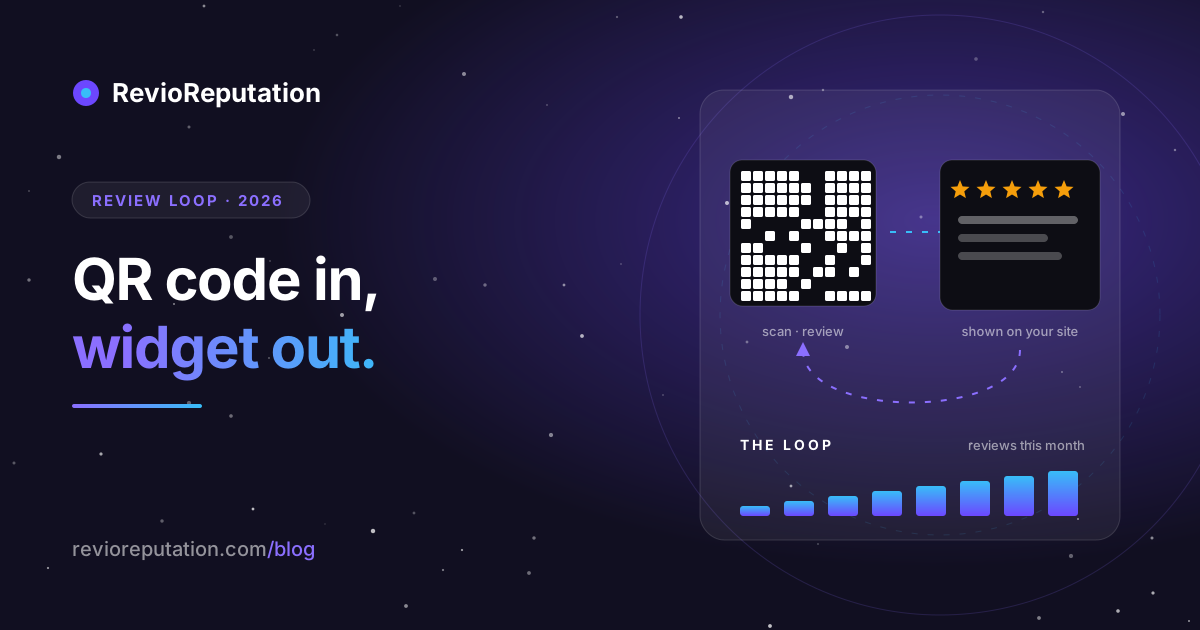
Most small businesses treat reviews as two unrelated chores: getting them (a card by the till nobody scans) and showing them (a screenshot on the About page from 2024). Treated as one loop, they compound. A QR code at the right moment turns a finished visit into a review; a widget on your website turns that review into the next visit; the next visit produces the next review. The loop needs three things done correctly — a link that opens the review form directly, a placement that catches guests while they are idle, and a widget that shows your real rating with the reviewer attached — and it breaks on two very common mistakes. All of it is free to run.
Why the two halves belong together
Google's local ranking weights recent reviews far more than old ones (the velocity math is here), and prospective customers weight them the same way: a 4.7 with reviews from this month reads as a live business; a 4.9 whose last review is from spring reads as one that may have changed hands. So the collection side has to be continuous, not a campaign.
The display side is the part that makes continuity pay. Roughly half of the people who land on a small business's website arrive from somewhere other than Google Maps — a friend's link, Instagram, a directory, an email — and never see your Google listing at all. For them, the reviews on your own site are your reputation. A widget that shows this week's reviews turns every one you collect into a conversion asset the same day.
Put together:
- Guest finishes → scans the code → writes a review (collection).
- Review appears on Google → appears in the widget on your site within the sync window (display).
- Next prospect reads it on your site → books → becomes the next guest → step 1.
Each turn of the loop makes the next one slightly more likely. That is the whole method; the rest of this post is about not breaking it.
Part one: the QR code
The link is the product
Everything depends on what the code opens. It must be the review form itself — stars ready to tap — not your Business Profile, not Maps, not a search result. Every extra tap between the scan and the star row costs you roughly half the people who scanned.
The link that keeps working is built from your Place ID, the identifier Google gives your specific location:
https://search.google.com/local/writereview?placeid=YOUR_PLACE_ID
Google's own "Ask for reviews" short link (g.page/r/…/review) resolves to the same form and is fine too. What is not fine is a link to your Maps listing: on a phone that opens the Maps app, scrolls the guest to photos, and hides the review button behind a tab. We have watched people give up at that screen.
Find your Place ID with Google's Place ID Finder (search "Place ID Finder", type your business name, copy the string that starts with ChIJ), or use a generator that looks it up for you — ReviewQR's free one takes a business name and city and returns the code, no account needed.
The placement is the second product
A review QR code is not signage. A sign only has to be seen; a code has to be seen, scanned and then followed by two minutes of somebody's attention. Three conditions, and a placement needs all three:
- The experience is over. Nothing to say about a haircut halfway through.
- The phone is out, or a hand is free. Nobody digs through a bag for a poster.
- They are not moving. Anyone walking towards the door is gone.
Which is why the code by the entrance is never scanned and the one on the bill folder is. The placements that pass, by business type:
| Business | Placement that works | Placement that fails |
|---|---|---|
| Restaurant, café | On the bill folder or printed on the receipt; a tent card brought with the bill, not left out all meal | Door, window, menu front |
| Salon, barber, studio | At the mirror during the final check; on the card-machine stand | Reception counter during the next client's check-in |
| Hotel, guesthouse | Key-card sleeve; a card on the pillow on the last night; the checkout email | Lobby poster, lift |
| Clinic, dentist | Handed over with the after-care sheet; the appointment-confirmation SMS for next time | Waiting room (they have not been seen yet) |
| Trades, home services | Bottom of the invoice; a card left on the finished work | Van livery |
| Retail | On the receipt; a small sticker at the card terminal when there is no queue | Shop window |
One more multiplier that outperforms any placement: the sentence. A code alone converts a few percent of people. The same code after a staff member says one line converts several times better. The line that works is short and conditional on nothing: "If you have thirty seconds, a Google review really helps a small place like ours — the code is on the bill." No "if you enjoyed it" (that is the first step toward review gating, which is against Google's policy and, in the EU, a consumer-law problem), and no star count — asking for "a five-star review" breaks the rules; asking for a review does not.
Print it properly
- Error correction level M or higher, so a scuffed sticker still scans.
- A quiet zone: white margin of at least four modules around the code, or phone cameras lock onto the border instead.
- Minimum 2.5 cm across for a table card, 4 cm for anything read from standing height.
- A line of text under the code saying what it does: "Leave us a Google review". A bare QR code is a mystery, and people do not scan mysteries.
- Print a poster and a sticker from the same code. The sticker goes where the moment is (card machine, mirror, bill folder); the A4 goes where people wait.
Part two: the widget
What it has to show
An embedded review is only worth more than a testimonial because it is checkable. The three things that make it checkable:
- The reviewer's name and the link back to Google. Strip those and you have a quote box.
- The rating and count of your whole listing, not of the reviews you chose to display. A widget that shows four hand-picked five-star reviews under "5.0 · 4 reviews" while your listing says 4.6 from 130 is making a claim about a fact, and it is false. Show the real number; display whichever reviews you like.
- Recency. A widget that has not updated since it was installed becomes the 2024 screenshot with extra steps. It should fetch on its own, on a schedule you did not have to remember.
A note on what Google actually gives out. The public Places interface returns at most five reviews per listing and no way to page through more. Any widget that shows your full history is either connected to your Business Profile with your permission or is scraping — and the second kind tends to stop working without notice. Five recent reviews shown honestly beats fifty shown by a tool that will break. The longer comparison of screenshots, the Places interface and widgets covers the trade-offs.
Where it goes on the page
Not the homepage hero — that is your own message, and the widget competes with it. The two placements that pull their weight:
- Directly above the booking form, menu, price list or "get a quote" button. The reviews are the last thing read before the decision. This is the placement that turns the loop.
- The footer or a "Reviews" section on every page, so the visitor who arrived from a link deep in the site still sees them.
A carousel works where space is tight; a grid or list works where visitors read. A badge — the rating, the count and the stars in a small block — belongs next to your phone number and opening hours, where someone deciding whether to call is looking.
The code you paste
Every embeddable widget, ours included, is two lines: a placeholder with an identifier, and a script that fills it. Paste both together into your site builder's HTML element — not its text editor, which escapes the brackets and prints the code on the page. Where that element hides on Wix, WordPress, Squarespace, Webador and Shopify, and the five reasons a pasted widget shows nothing, are here.
The two mistakes that quietly break the loop
Mistake one: the code points at the wrong place. Usually Maps, sometimes the Business Profile, occasionally a dead short link from a tool that shut down. The symptom is a code that gets scanned (you can count scans) and produces no reviews. Test yours today, on a phone, in a private window: one tap after the scan should show the stars.
Mistake two: the rating the widget prints is not your rating. Either because the tool computed it from the filtered slice, or because someone set a minimum-stars filter and the tool obligingly averaged only those. A visitor who checks Google and finds a different number has learned exactly one thing about you. Show the listing's own average and count, and keep the filter for which reviews are displayed, not for what the number says.
A third mistake is not quiet at all, so it gets one line: never pre-screen. Asking "how was it?" and only showing the Google link to the happy ones is review gating, and both Google's content policy and EU consumer law name it directly. The compliant loop outperforms the gated one anyway — three alternatives that work.
The weekly routine
Fifteen minutes, once a week, keeps the loop turning:
- Scans versus reviews. If the code is scanned and reviews are not arriving, the link is wrong (mistake one).
- Reply to every new review, in the reviewer's language, with the one specific thing they mentioned. The reply is read by the next prospect; the three reply shapes are here.
- Look at your own site's widget. Is this week's review in it? Is the number the same as on Google? Thirty seconds.
- Move the code if a placement has gone quiet. Staff stop mentioning it; a card gets buried under menus. The sentence is the part that decays fastest.
Getting the loop running today
You can build the whole thing by hand: Place ID Finder for the link, any QR generator for the code, a print shop for the poster, and Google's own Places interface or a widget for the display side.
Or use the version we built for exactly this. ReviewQR generates the review QR code from your business name, prints the poster and the sticker, and produces the two-line widget snippet for your site — free plan, one location, no card. When you are ready to answer the reviews as well, and to watch your ranking and your competitors move, RevioReputation is the platform behind it: reviews from every profile in one inbox, AI-drafted replies in the reviewer's language, and the widget already connected.
Either way, the loop is the point. Ask at the right moment; show what you were given, honestly; repeat.
New blog posts. No spam.
Get the next reputation playbook delivered when it drops.